PictureRiver1.7.4.2
Publisher Description
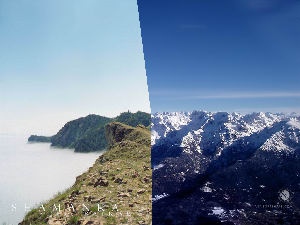
Do you have a bunch of digital photos that you want to turn into a cool screensaver to impress your friends? If so, take a close look at this screensaver.
PictureRiver is a spectacular slideshow screensaver with over 40 stunning special effects. With this screensaver, even inexperienced users can turn pictures and digital photos into a memorable slideshow screensaver that will become an object of envy to others. The library of transition effects is being continuously updated, ensuring this screensaver is always the top screensaver in its class.
PictureRiver supports all common digital image formats, such as JPEG or BMP, and automatically resizes pictures to fit the screen. This screensaver is also 100% customizable. You can set any delay time, apply various transition effects and alter other screensaver parameters. The preview feature allows you to instantly see how your screensaver will look.
Download your free trial version of PictureRiver now and turn your pictures and digital photos into an amazing slideshow screensaver!
About PictureRiver
This Screen Savers: Nature program is available in English. It was last updated on 29 September, 2026. PictureRiver is compatible with the following operating systems: Windows, Windows-mobile.
The company that develops PictureRiver is Whimsoft. The latest version released by its developer is 1.7.4.2. This version was rated by 1 users of our site and has an average rating of 3.0.
The download we have available for PictureRiver has a file size of 1.0 MB. Just click the green Download button above to start the downloading process. The program is listed on our website since 2010-07-28 and was downloaded 230 times. We have already checked if the download link is safe, however for your own protection we recommend that you scan the downloaded software with your antivirus. Your antivirus may detect the PictureRiver as malware if the download link is broken.
How to install PictureRiver on your Windows device:
- Click on the Download button on our website. This will start the download from the website of the developer.
- Once the PictureRiver is downloaded click on it to start the setup process (assuming you are on a desktop computer).
- When the installation is finished you should be able to see and run the program.
Program Details
System requirements
Download information
Pricing
Version History
version 1.7.4.2
posted on 2010-07-28
- Some internal improvements.
- Removed third-party library.
- Fixed a several errors.
version 1.5.1
posted on 2006-10-25
- Fixed memory leak.
- Fixed several errors.
